
Having trouble granting access in Facebook Business Manager? Follow our step by step guide to changing advert access permissions.
1. Go into Advert Accounts Tab under the Business Settings
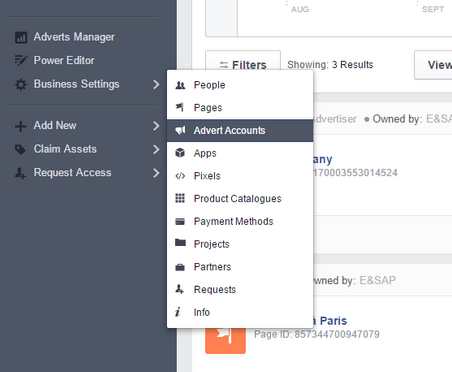
2. Create a new Advert Account
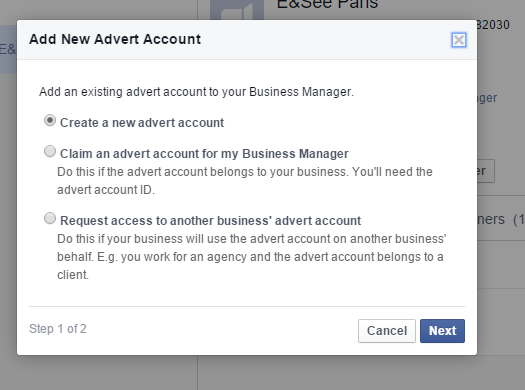
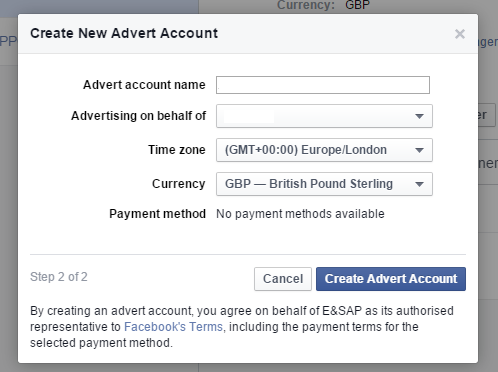
When Creating the new Account:
- Make sure that the Company’s Name is present when the Advert Account.
- That the right page is selected.
- That GMT+0 is selected.
- And that the account is set up in sterling.
3. Click on “Assign Partner”.
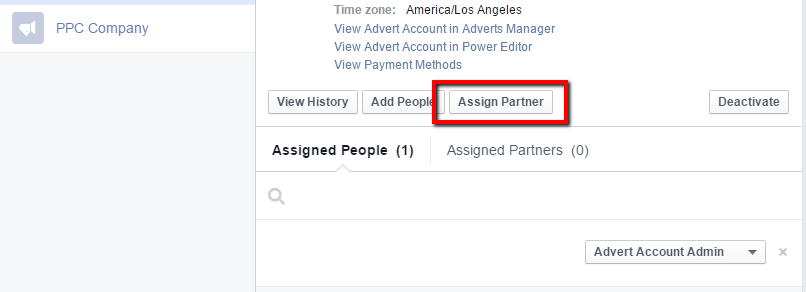
4. Enter the relevant Account Number
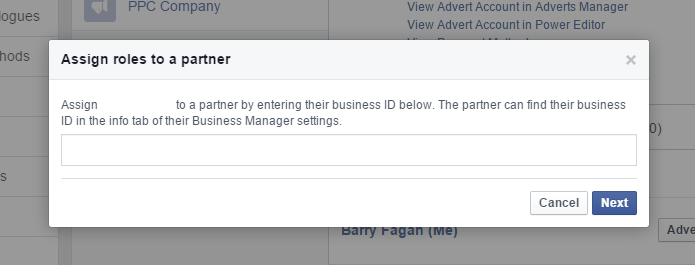
Make sure to assign the relevant person/business as only the Advert Account Advertiser and Advert Account Analyst. If you would like them to have the ability to post information directly to your Facebook page, then select all the fields shown in the image below.
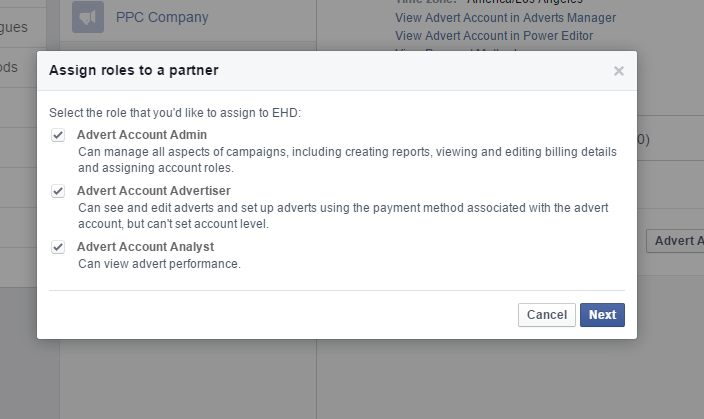
And there you have it. Your advert access should be good to go.
- Social
Jessica-Leigh Kelly
Jess built a career in the events and entertainment industry, where she also managed social media. In 2021, she transitioned to a full-time role in PPC, focusing on digital marketing campaigns. She began studying Sound Engineering at The Academy Of Sound Engineering but chose to pursue a career in the events and entertainment industry instead. When Jess isn't travelling, she can be found at castings for ads and films, relaxing at the beach, dancing, or creating art.
YOUR RECOMMENDED Blog
More insights to fuel your growth
Dive deeper into strategies that transform businesses
What’s holding your growth back?
In under 5 minutes, you’ll get a custom scorecard on where your digital marketing stands - and what to fix next.